Fauj Helpfauj.co.in

For trainers

Send a PDF invoice

Yes, every invoice has a PDF. Tap Send PDF or Download PDF on the invoice.

  1. Open the Payments tab, or your client's page.
  2. On the invoice, tap Send PDF on a phone, or Download PDF on a laptop.
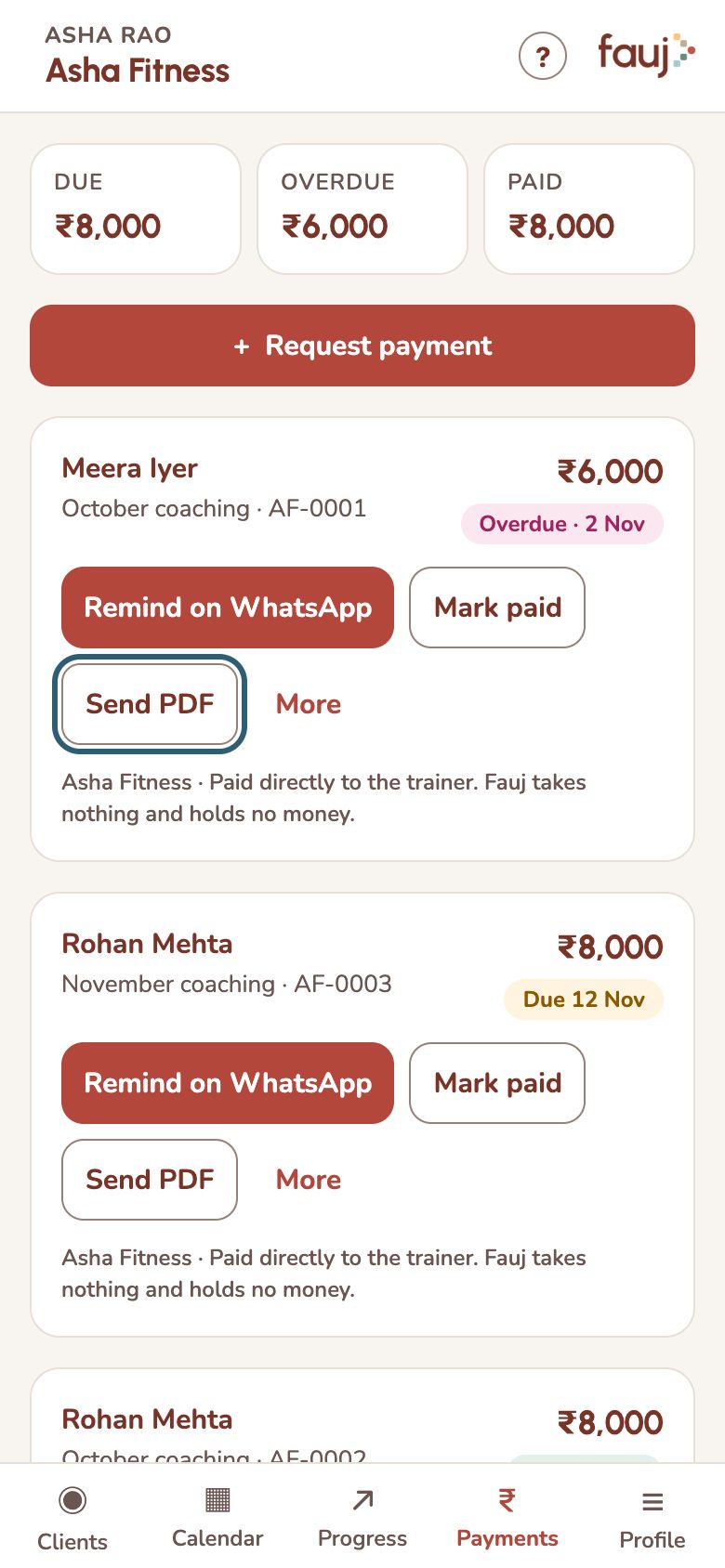
Send PDF on an invoice

On a phone, More has Download PDF too, and Share invoice sends the details as a WhatsApp message.

The PDF includes a UPI QR code when the invoice has your UPI ID.

Related

Get started as a trainerThree steps take you from a new account to getting paid: invite a client, publish a plan, request a payment.Invite a clientCreate a link, send it on WhatsApp, and your client joins with their email.Build a workout planStart from a template, a blank plan or one of your own plans, add exercises, then publish so your client can see it.