Copy a workout or a plan
Yes, you can copy. Copy one session to another day, a whole week to the next week, or a whole plan to any client.
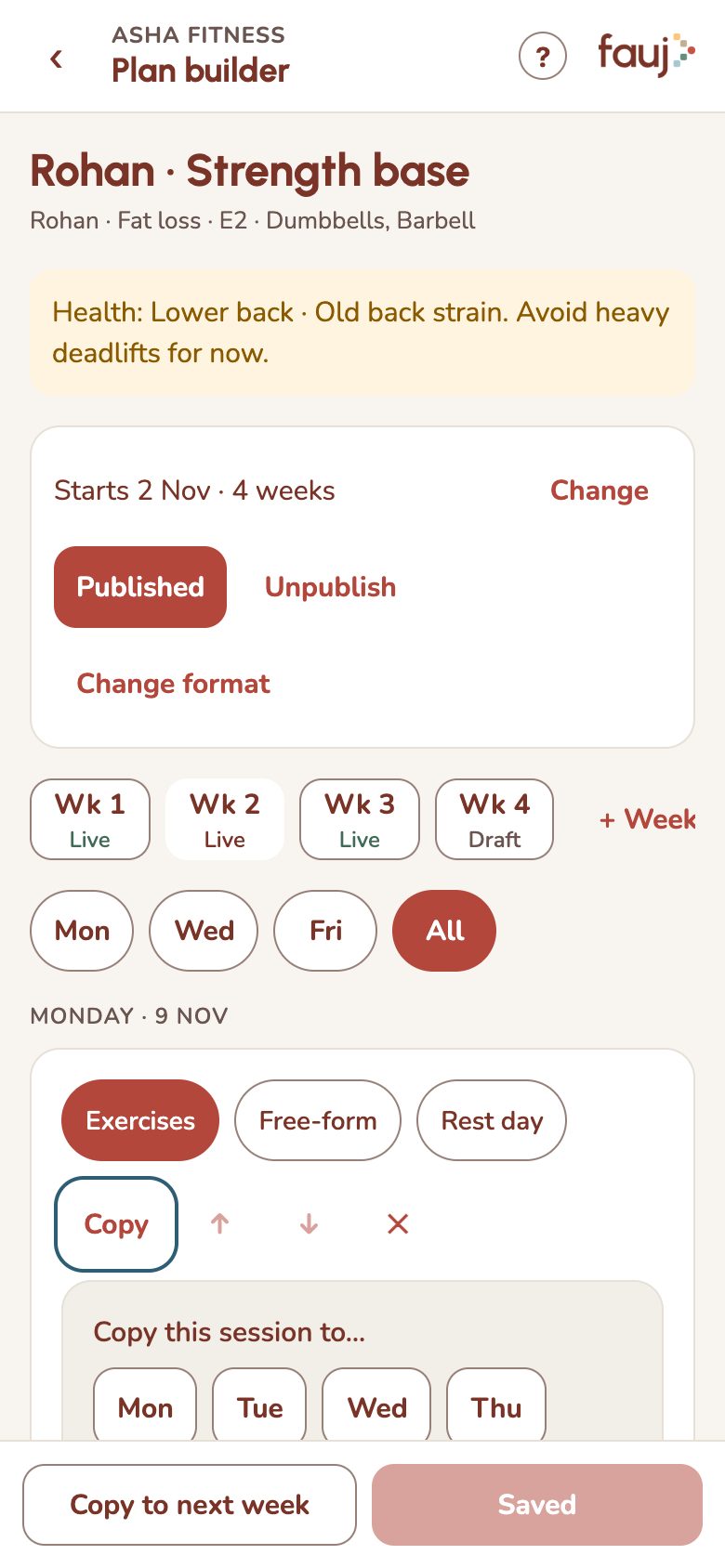
Copy one session to another day
- In the plan builder, find the session and tap Copy.
- Pick the day. The copy appears on that day.
- Tap Save week to keep it.
Copy a whole week
Tap Copy to next week at the bottom of the plan builder. Then change the copy to progress your client. Sessions already logged in the next week stay as they are.
Copy a plan to another client
- Open the other client, then tap Build a plan (or Start a new plan).
- Under Copy one of your plans, pick the plan.
- Set the start date and tap Create plan.
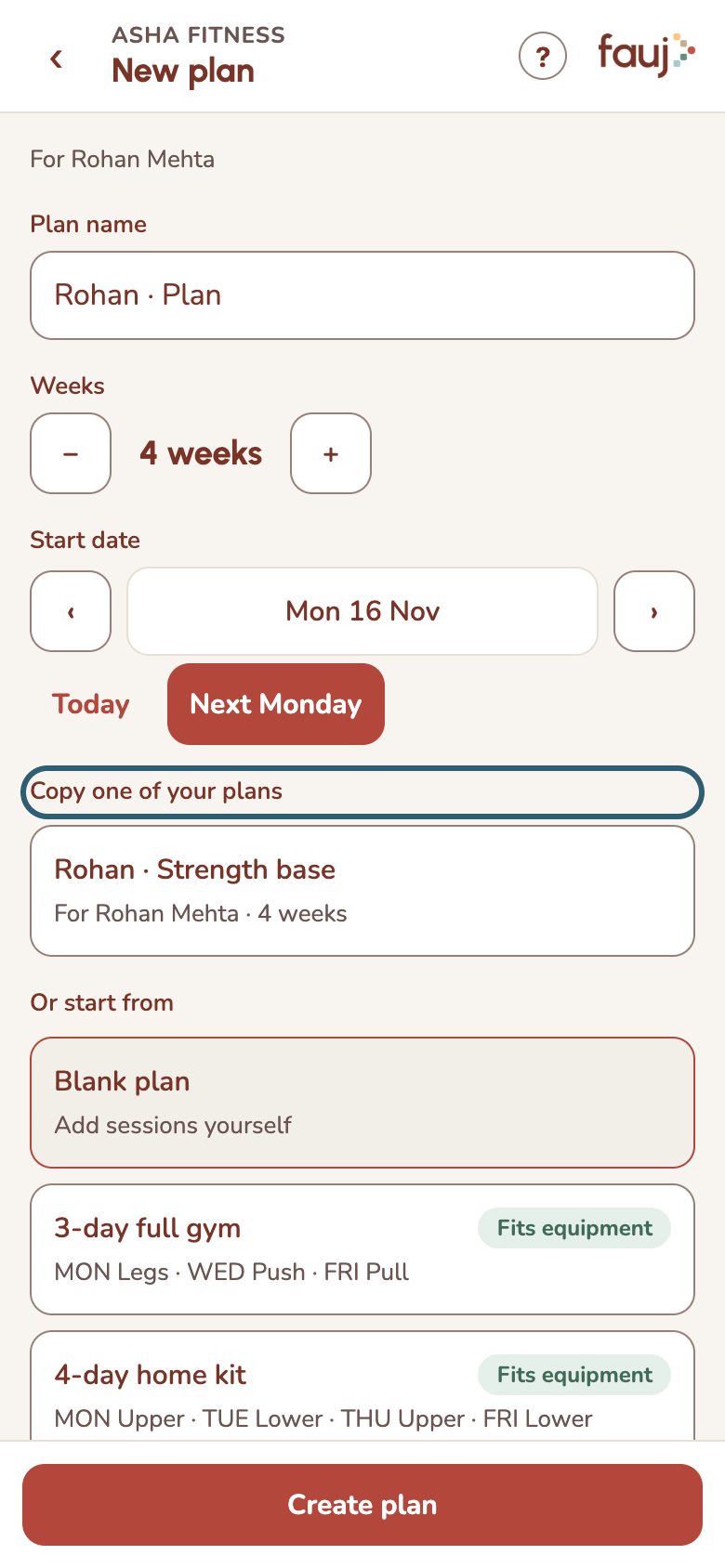
You get a separate draft to edit. The original plan and its client aren't affected. Nothing reaches the new client until you publish.